
UPDATED 20/12/2023: all of the access links and content in this blog post checked and updated accordingly.
This post is a first in our “From the Archives” series highlighting some of the less well-known items held in the BMA Library and Archives collection.
Born in 1697, Bernhard Siegfried Albinus was a German-born Dutch anatomist.
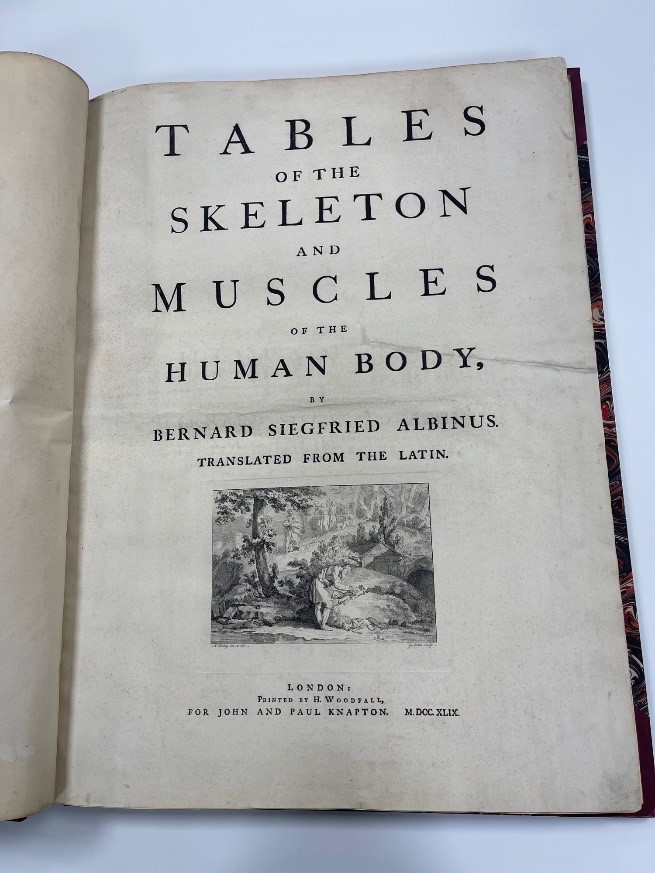
Working with Hermann Boerhaave, Albinus published works on Andreas Vesalius and William Harvey, but is probably best known for his Tabulae sceleti et musculorum corporis humani, first published in Leiden in 1747. Working with the engraver Jan Wandelaar this publication contains numerous beautiful, anatomically accurate depictions of the human body showcased in natural, pastoral landscapes. It took over eight years to complete.
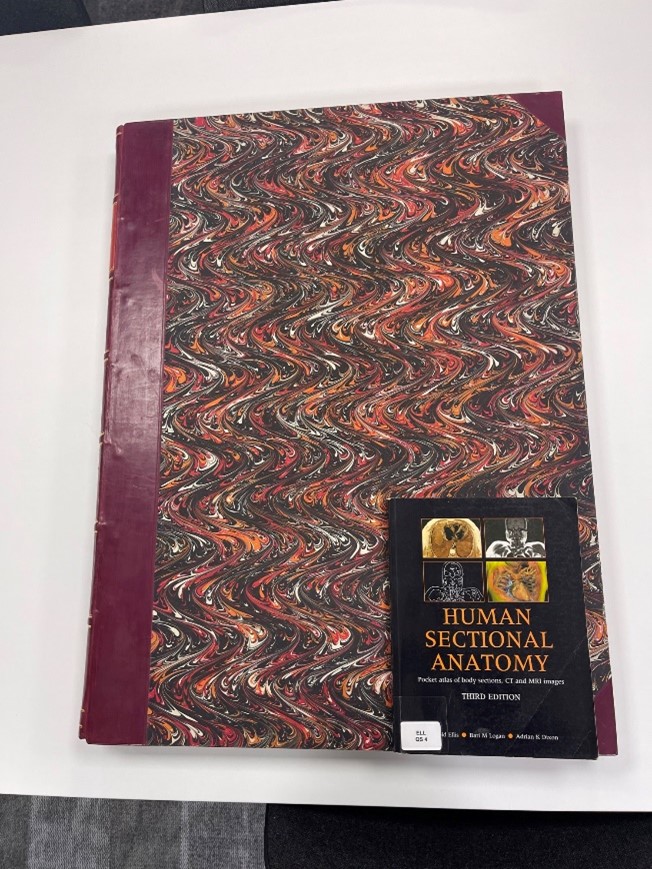
An unauthorised English translation of the book was published in London in 1749. Titled Tables of the skeleton and muscles of the human body, this is the edition held by the BMA library. As you can see from the picture, it is an impressive sized volume compared to other books in the library!
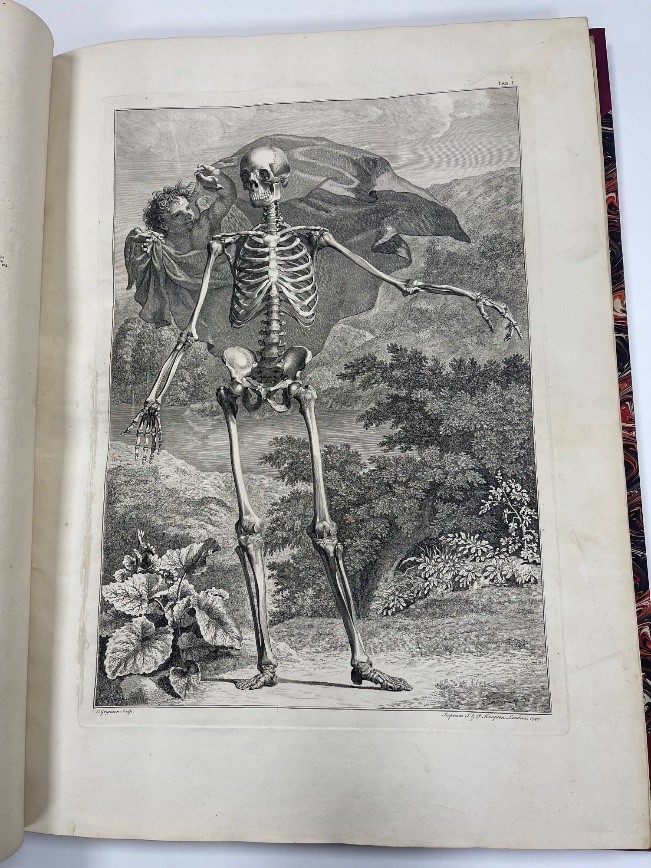
This first table, Tab I, contains chiefly a front view or figure of the Human Skeleton; with some added ligaments and cartilages.
The foundation for Albinus’s illustrations is the human skeleton. Many anatomical drawings begin with the outside of the human body, but Albinus removed all the muscles and ligaments so that the illustrations begin with the skeleton.
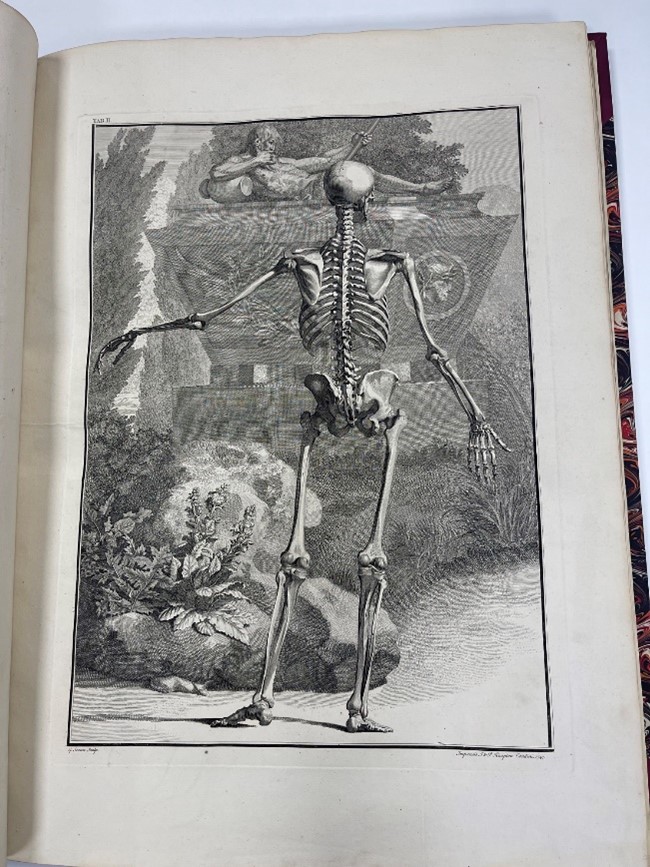
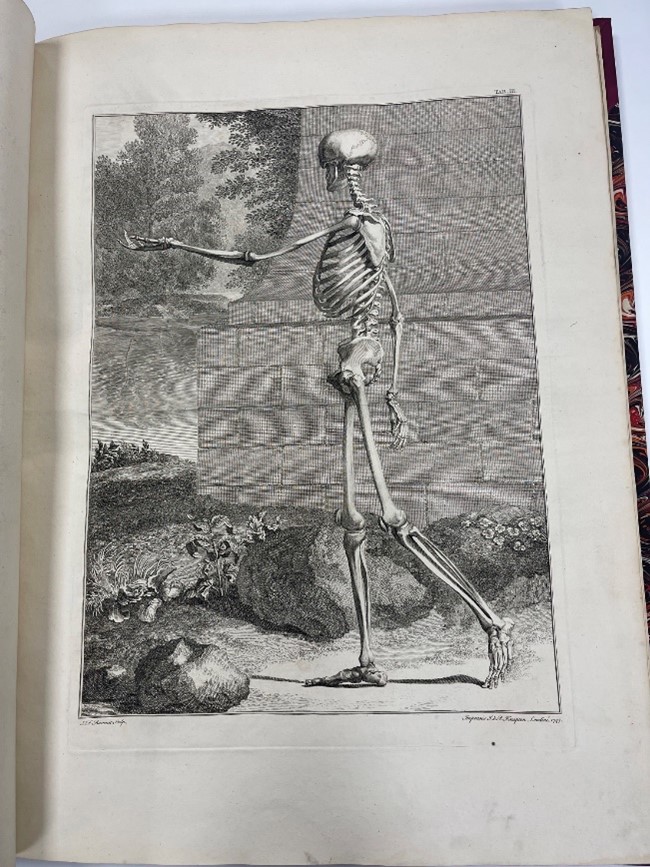
This second table, Tab II, contains a rear view of the Human Skeleton. Table III is the sideways view.
Tab I, [Human body with muscles] Albinus preserved the soft tissue and then added it to the skeleton to make his “muscleman”.

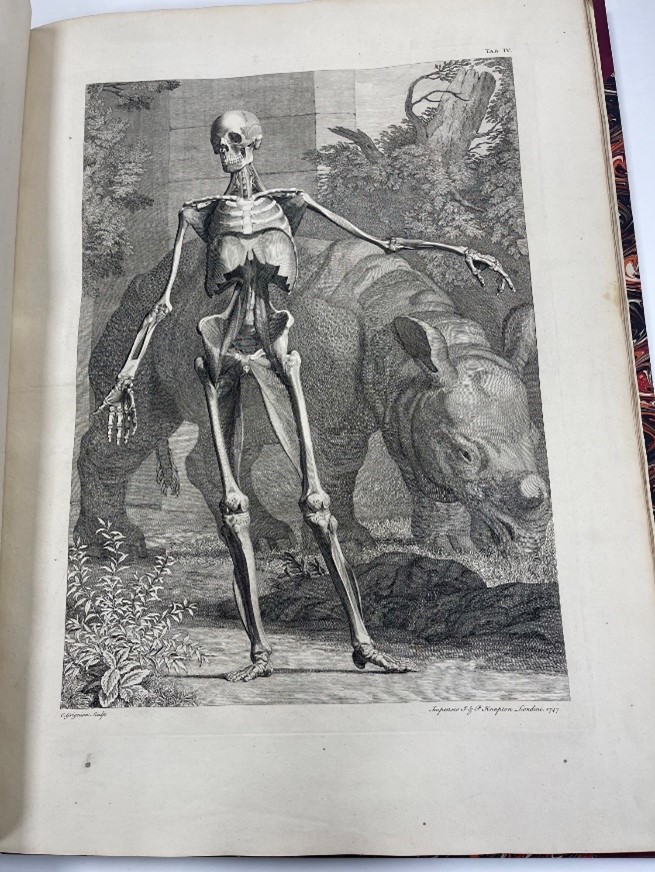
Tab IV [Skeleton with Rhinoceros, Front View]
These show a standing human skeleton with partial musculature posed in front of a rhinoceros, one view from the front and one from the back. These anatomical illustrations are renowned not only as the first of their kind that influenced generations of anatomists and artists, but for incorporating the first accurately drawn depictions of a living rhinoceros. Wandelaar drew the exotic animal from life at the Amsterdam Zoo, where the first living specimen to arrive in Europe, nicknamed Clara, was brought in 1741.
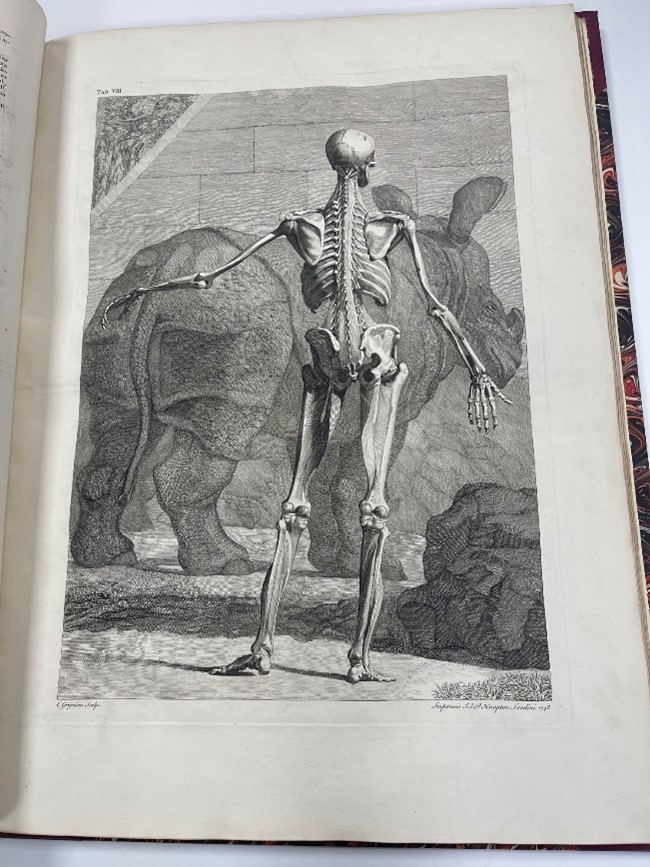
Tab VIII, [Skeleton with Rhinoceros, Back View]
References:
“Bernhard Siegfried Albinus.’ University of Virginia, Historical Collections at the Claude Moore Health Sciences Library. 2007. http://exhibits.hsl.virginia.edu/treasures/bernhard-siegfried-albinus-1697-1770/
UPDATED 20/12/2023: all of the access links and content in this blog post checked and updated accordingly.
All of our electronic resources (e-books, e-journals and databases) are accessible via our online catalogue.
In order to unlock your access to all of this content you just need to Sign in with your BMA username and password. Just click on the Sign in button on the top right hand side of the home page of our catalogue:

If you encounter an error message when attempting to sign into our online catalogue you may find that resetting your password will remedy this issue. To reset your BMA password please use the following link: https://authgateway.bma.org.uk/Account/ForgotPassword
After resetting your password if you find that you are still encountering an issue with signing in to our online catalogue please get in touch with us by sending an email to bma-library@bma.org.uk including your BMA membership number and the email address you are using to sign in with. Also, if possible, please include a screen shot of the error message you are seeing. This inbox is monitored – Monday to Friday; 9am to 5pm – and we will work to get the issue with your sign in resolved as quickly as possible.
The e-books, e-journals and databases that we provide access to via our online catalogue are hosted on dozens of different publisher/supplier platforms. We strive as far as possible to ensure that all of the tens of thousands of access links provided within our online catalogue to them are kept up to date and working.
On occasion, you may find an access link that is no longer working. When this occurs, please contact us by sending an email to bma-library@bma.org.uk:
- Please write your email clearly and concisely with enough spacing
- Please make sure the problem is written in the main body of the email and not just the subject line
- Please include the details of the item you were looking at/for and what platform it is hosted on
(Using the Permalink of the item is the best way to do this, please see below the details for how to do this.) - Please also include your BMA membership number
The Permalink button for an item is the quickest and easiest way to let us know exactly which electronic resource you are contacting us about:
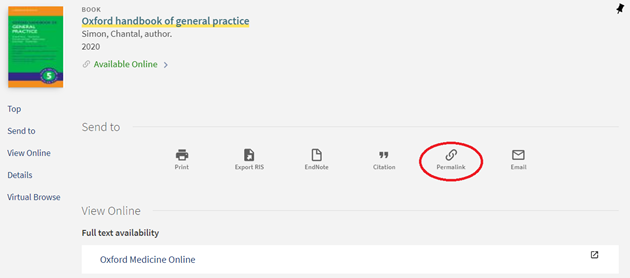
When you click on the Permalink button you will be presented with a link:
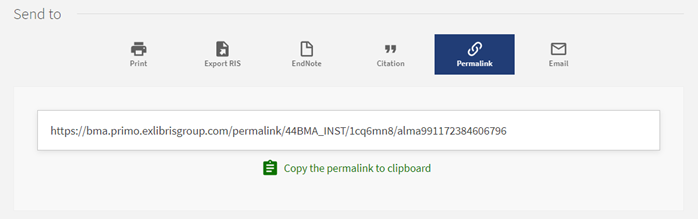
Simply click on the Copy the permalink to clipboard link and then paste the link into the email you send to us.
If you have any comments or queries about accessing any of our electronic resources, please email:
bma-library@bma.org.uk

Do you need to find answers to your research question quickly? Do you want to retrieve a smaller number of results that are targeted to your research question? Do you want to identify higher quality evidence from the vast amount of literature available?
If you answered ‘YES!’ to any of these questions, then there are some tips below that may be able to help you:
Medical Subject Headings (MeSH) used in Medline, and Emtree headings used in Embase, are controlled and hierarchically organised vocabularies used for the indexing, organising, and searching of biomedical and health-related evidence. These headings make it easier to search for evidence and allow you the option to explode or focus. Exploding allows you to retrieve results using the selected heading and all its more specific terms. Focussing allows you to limit your search to the evidence in which your subject heading is considered the major point of the article.
a. In Medline, type your keyword into the search box. The below example shows ‘diabetes mellitus’. Check the box next to Map Term to Subject Heading, and then Search.

b. On the next page, your keyword is matched to the subject heading, ‘Diabetes Mellitus’. Next to it are boxes for Explode and Focus. Check the box next to Focus, click Continue, and then Continue again on the next Subheadings page.

c. In the search history below, line 1 shows that focussing ‘Diabetes Mellitus’ retrieves 90,640 results. Exploding ‘Diabetes Mellitus’, in line 2, retrieves 470,660 results. Focussing is good search technique to use if you want to retrieve a smaller and targeted set of results.

In Medline and Embase, you can instruct the database to search for your own keyword search terms in several different fields by using two-letter abbreviations. You can find out more here.
For example, searching for ‘diabetes mellitus.mp’ instructs the database to perform a Multipurpose search which searches for ‘diabetes mellitus’ across a number of different fields simultaneously. However, if you want to retrieve something more targeted you could, for example, search for ‘diabetes mellitus.ti’, which instructs the database to just look for your keyword in the title of the article.
In line 3, we retrieved 485,884 results by performing a Multipurpose search. In line 4, we retrieved 79,664 results by performing a Title only search.

As a BMA member, you can access the Medline and Embase databases anytime to run your own searches.
Medline is the world’s best-known medicine and clinical science database, holding over 25 million references, from over 5,000 journals.
Embase is a leading clinical medicine and biomedical database and holds around 28 million records.
Coronavirus (COVID-19) has impacted almost every aspect of our daily lives, and unsurprisingly in the Evidence Support team, we have noticed an increase in requests for evidence related to the pandemic and the impact it has had on different areas in the medical profession. To make it easier to find this evidence, Medline and Embase have installed a filter that can be applied to your search strategy to retrieve relevant papers.
To get started, please follow the steps below:
- From the library homepage, click on Access Medline and Embase. You may be prompted to login with your email and password if you haven’t already logged in to the BMA website.
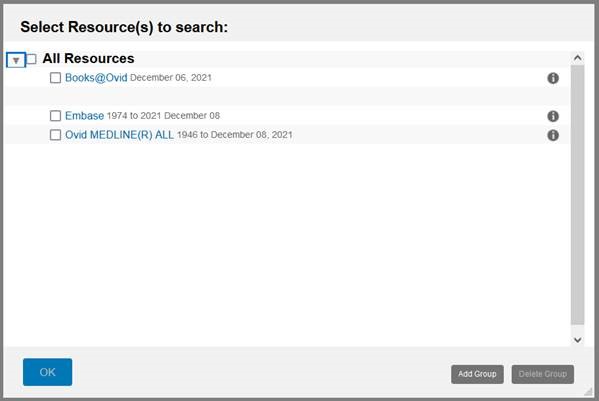
2. From the window below, check the box next to OVID MEDLINE ALL or Embase, depending on which database you would like to search, and then click on OK.
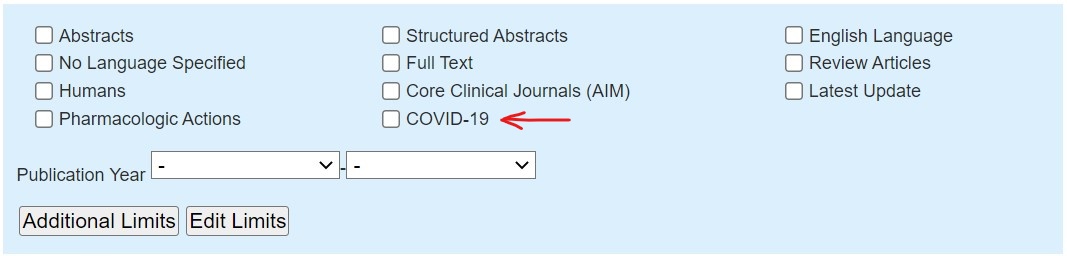
3. After constructing your search strategy, locate the COVID-19 filter beneath the search box. Check the box next to it and click on Search.
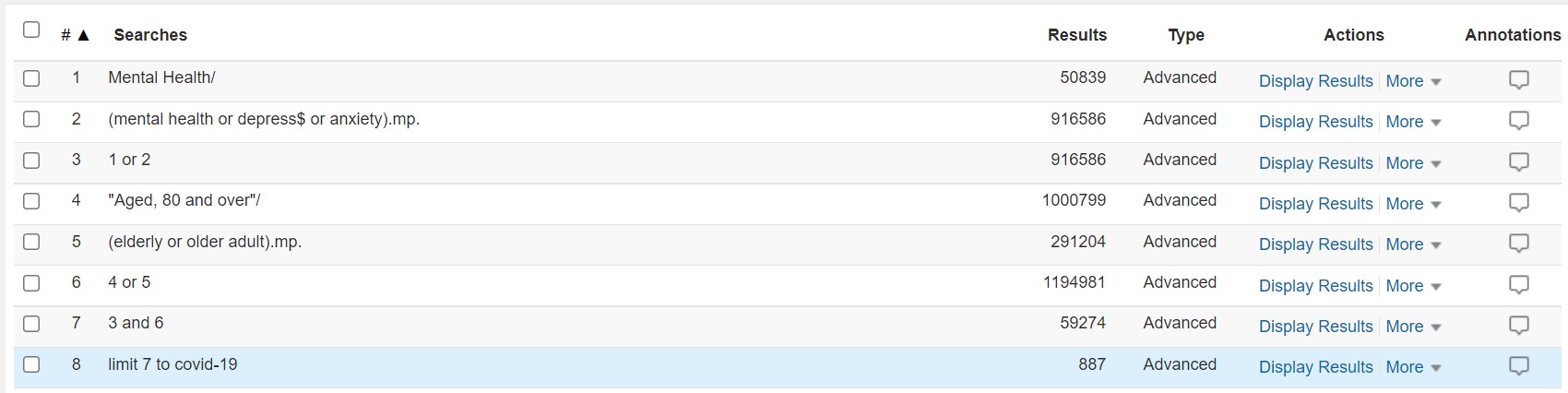
4. The COVID-19 filter will then be applied to your search strategy. The below example is on how the mental health of the elderly has been affected during the coronavirus pandemic. The COVID-19 filter has been applied on line 8.
UPDATED 03/11/2022: all of the access links and content in this blog post checked and updated accordingly.
The Library Online Catalogue offers a range of options for accessing content in our e-journals collection.
We still offer an A to Z browse list of titles, but you will notice that there is now also the facility to search by category using the expandable lists of medical specialties available on the left hand side of the screen. There is also the facility to search for keywords in the title of a journal using the search box at the top of the page which as you type presents a google-like auto-complete list of suggestions based on the titles available in our collection:

You can now also search directly for journal articles from the main search page of the online catalogue. Just enter a few keywords or phrases, run the search and then limit to just journal article results using the Resource Type > Articles limiter on the left hand side navigation:

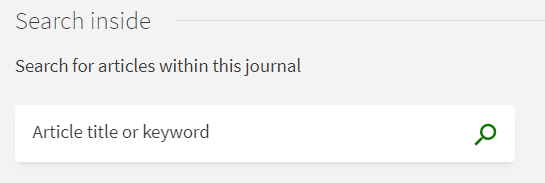
It is also possible to conduct a keyword search of articles within a particular journal. First search for and open the full record entry of the particular journal you wish to search within and then use the search box labelled Search Inside:
If you have the citation details of a particular article, in particular the DOI or PMID for it, you can use our Search by Citation facility to very quickly and easily see if it is available in our collection:
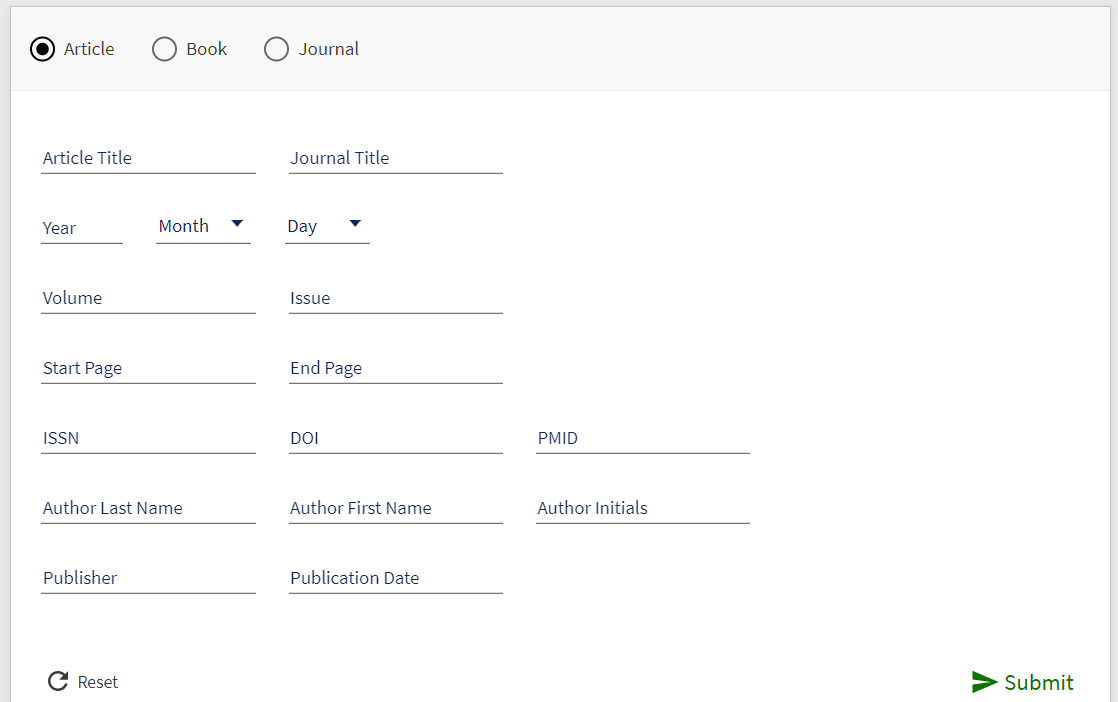
You don’t need to fill in all of the elements on the form, just enough to identify the particular article you are looking for. If you have either the DOI or the PMID of the article then just entering one of these alone should be sufficient.
If you have any comments or queries about accessing our e-journals please email: e-journals@bma.org.uk
UPDATED 20/12/2023: all of the access links and content in this blog post checked and updated accordingly.
Get access to e-books and e-journals by using the Library’s Online Catalogue. Sign in and then search or browse for the title you are looking for.

To search for the following:
- ebooks: enter a title, keyword, subject or ISBN
- ejournals: enter the name of the journal or ISSN
- articles: enter the title of the article

Available resources are displayed in the search results with an Available Online link that you can click to read online or download for later.
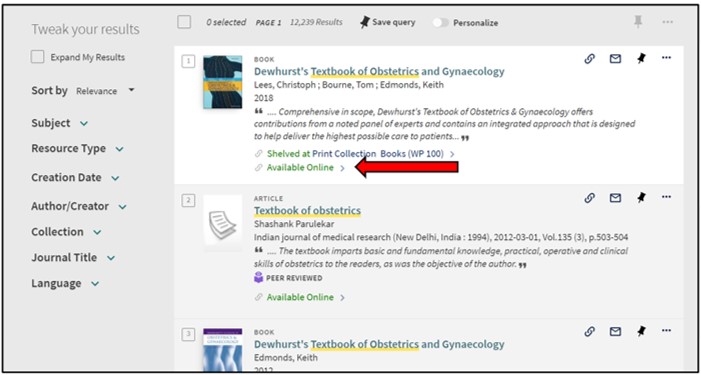
- You can also sort your results by relevance, subject, resource type etc.
From the list of items, you can:
- Click links for Full text availability (if shown) to gain access.
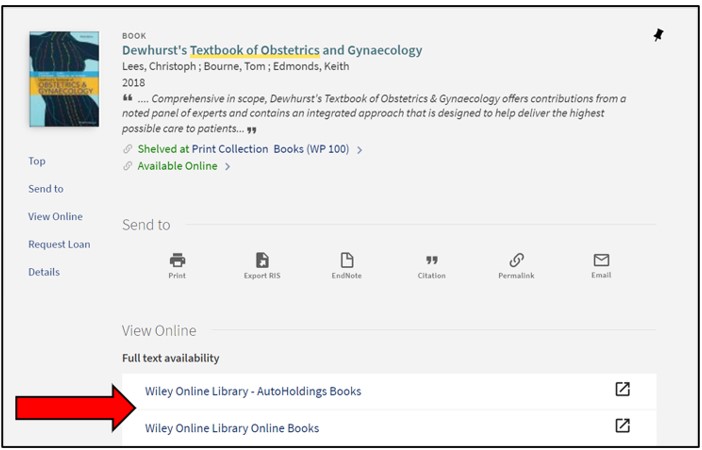
Interlibrary loan service (Journal article requests)
If an item is not held in our collection, you can request an Inter Library Loan via this link: order an article form. We will try to obtain the article from the British Library, and then send it to you by standard email as a TIF file. For any further enquiries, please email bma-library@bma.org.uk

UPDATED 20/12/2023: all of the access links and content in this blog post checked and updated accordingly.
Google Scholar can be used to search for scholarly information on the internet, including articles, books, conference papers, and theses. Some of the results will have a link to articles that are freely available, but we have now made it possible for you to see at a glance what articles are also available through the BMA library, ensuring you don’t miss any relevant articles for your research.
To be able to access the articles, you will need to first set up access to BMA Library on your Google Scholar account by following the steps below:
- Navigate to the Google Scholar website on your browser: https://scholar.google.com/Google Scholar
- Click on the navigation menu icon
- Click on ‘Settings‘:
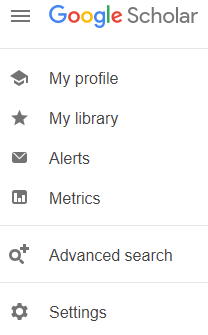
- Click on ‘Library links‘:
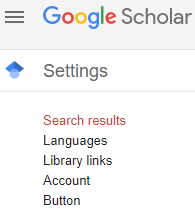
- Search for any of the following terms: ‘BMA Library‘, ‘British Medical Association Library‘, ‘BMA‘
- In the search results, select ‘British Medical Association Library – Access-Now@BMA-Library‘
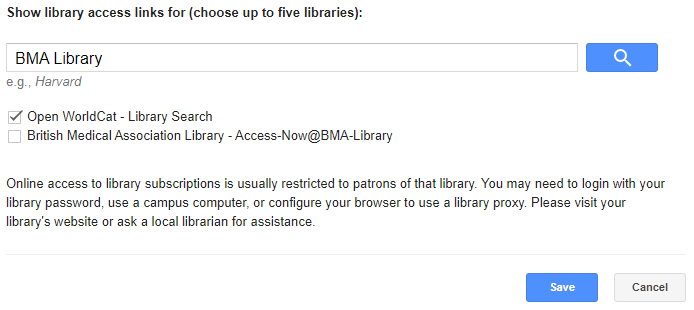
- Click on the ‘Save’ button
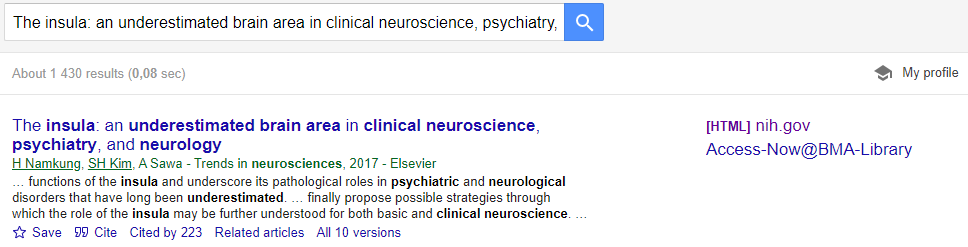
After the BMA Library is added once to your Google Scholar account, when you search on Google Scholar for an article that is available on our catalogue, you will find a link titled ‘Access-Now@BMA-Library‘ next to the search result:
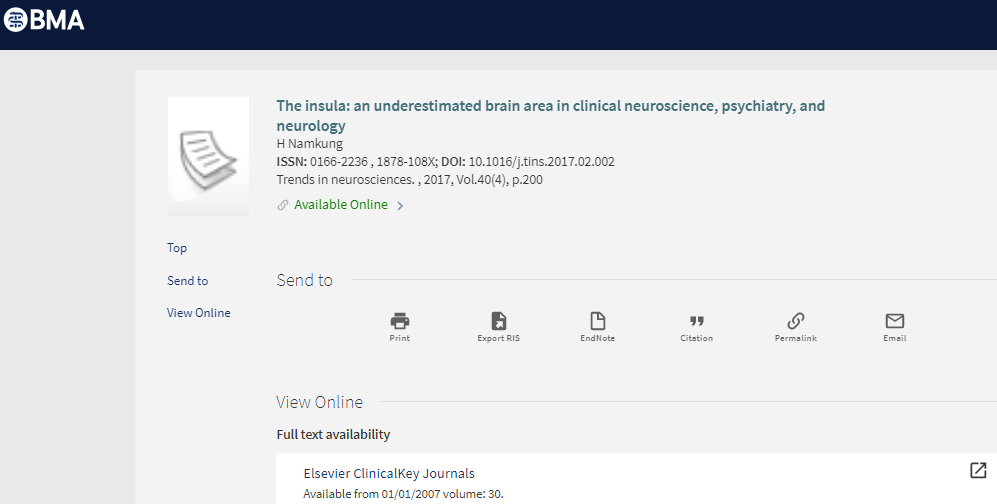
Clicking on the ‘Access-Now@BMA-Library‘ link directs you to our catalogue to access the full text of the article:
If you have any queries or feedback about this, please get in touch with us by email at: e-journals@bma.org.uk
Due to the COVID-19 situation and the closure of BMA House, all books that are on loan to BMA members have been automatically renewed. There will be no charges during this period.
If you wish to return any books, there are two options available:

- Send the books back to us via the Post Office. (Please make sure you obtain a proof of postage receipt). Please use the book return or freepost label that was included when the book was loaned, or if you do not have these labels anymore, please use the following address:
BMA Library, BMA House, Tavistock Square, London, WC1H 9JP

2. If you would like to return loaned books personally to BMA House, you can do so by heading to the book drop box at the front of BMA House (Security) in Tavistock Square. Security is staffed Monday-Sunday 08:00-18:00.
Please be aware that BMA House remains closed to members and you can only return books to the book drop box at front of house security.

