
New article request service – Rapid ILL
Looking for an article or chapter that is not held by the BMA Library? We understand how frustrating it can be to scour the web in vain for articles of interest, only to be faced with barriers and paywalls. Not to worry – a new addition to our services can help supercharge your search for full-text access.
With your BMA membership you now have access to Rapid ILL, a document delivery tool that can locate articles from a wide range of books and journals. It is a speedy service integrated into the library catalogue, and completely free with your membership.
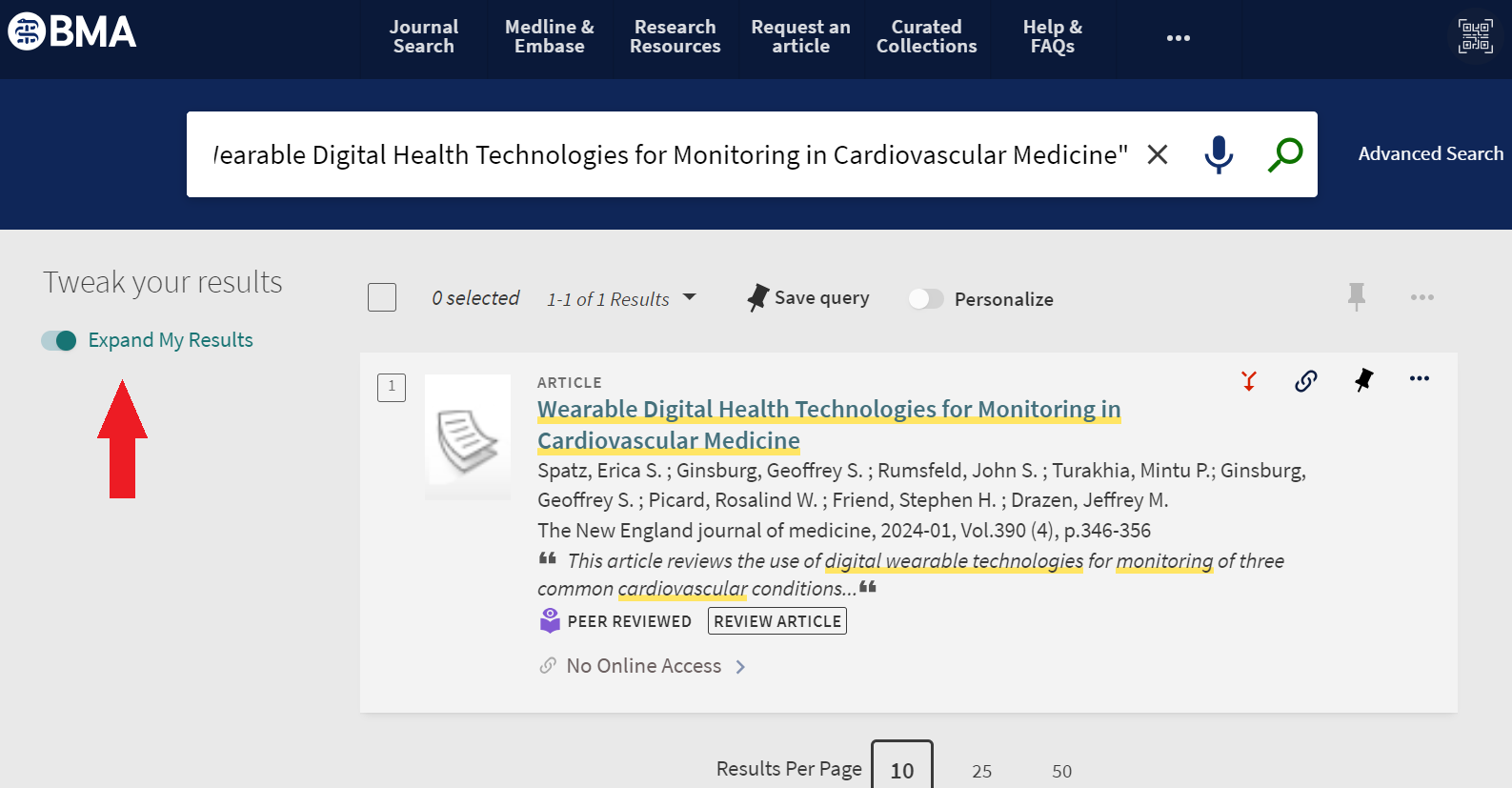
To use this service toggle the ‘Expand My Results’ option, located to the side, when searching for an article on our catalogue. If you do not do this, you will only be displayed results from the BMA’s holdings.
This video provides a great overview of how to request an article through the service:
‘Expand My Results’ opens the search up to a much wider global index, featuring a range of records from journal articles, book chapters, conference abstracts and more. Articles that appear through this method will display a grey hyperlink stating ‘No Online Access’, but don’t be discouraged, as clicking this link will direct you toward placing a Rapid ILL request.
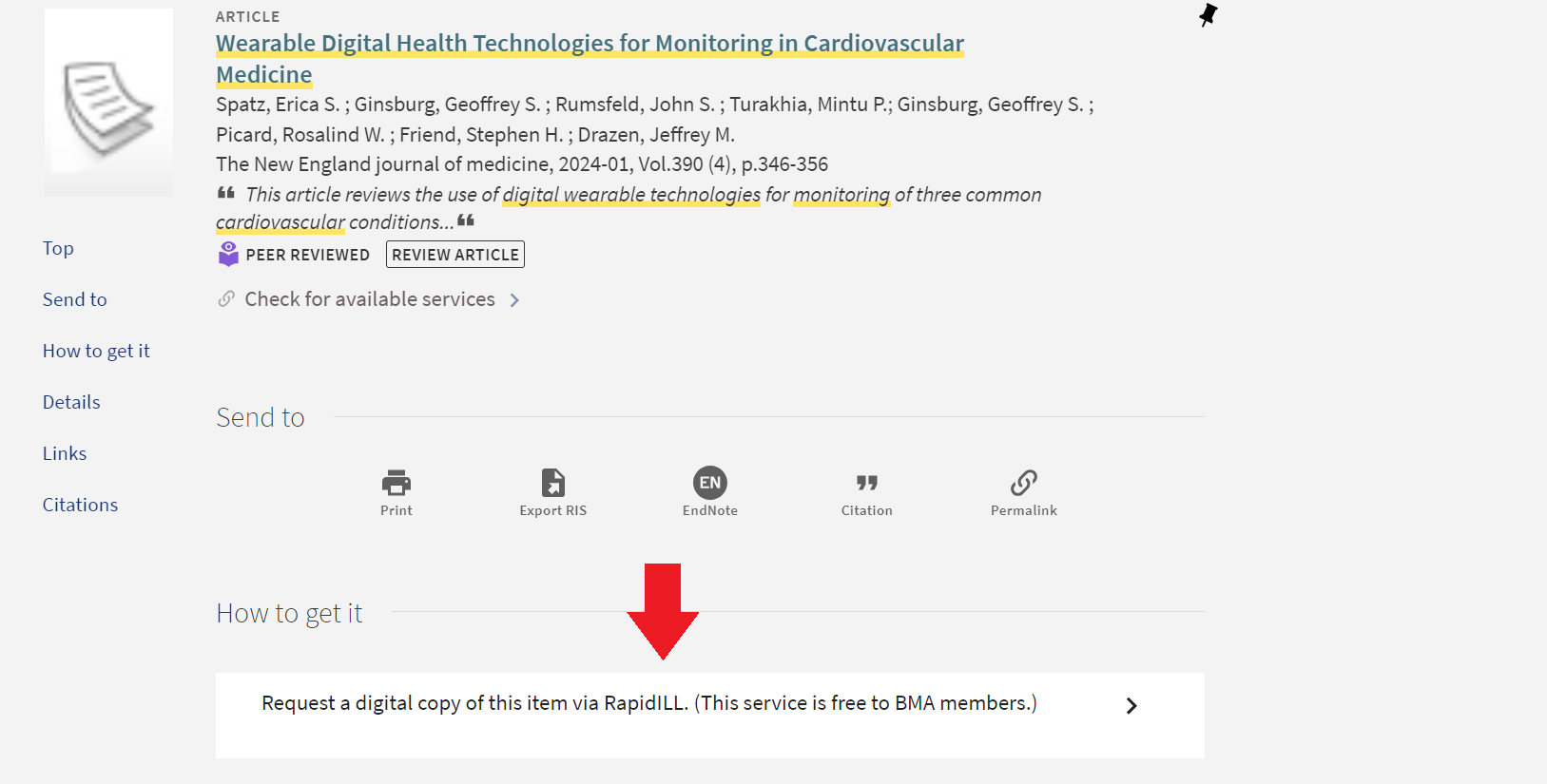
The option for doing so will be under the ‘How to get it’ heading. If you are not signed in, you will be prompted here to do so. By clicking ‘Request a digital copy via Rapid ILL’, you will open a pre-populated form featuring the item’s bibliographic details. You should not have to edit any of the details here, but if required fields are empty (marked with an *), you have the option of making changes.
Once you agree to the terms and conditions, you can submit the request. This request will be sent to the wider Rapid ILL network. Digital copies can often be supplied within 6 hours, and certainly most requests will be fulfilled within 72 hours, for harder to source content.
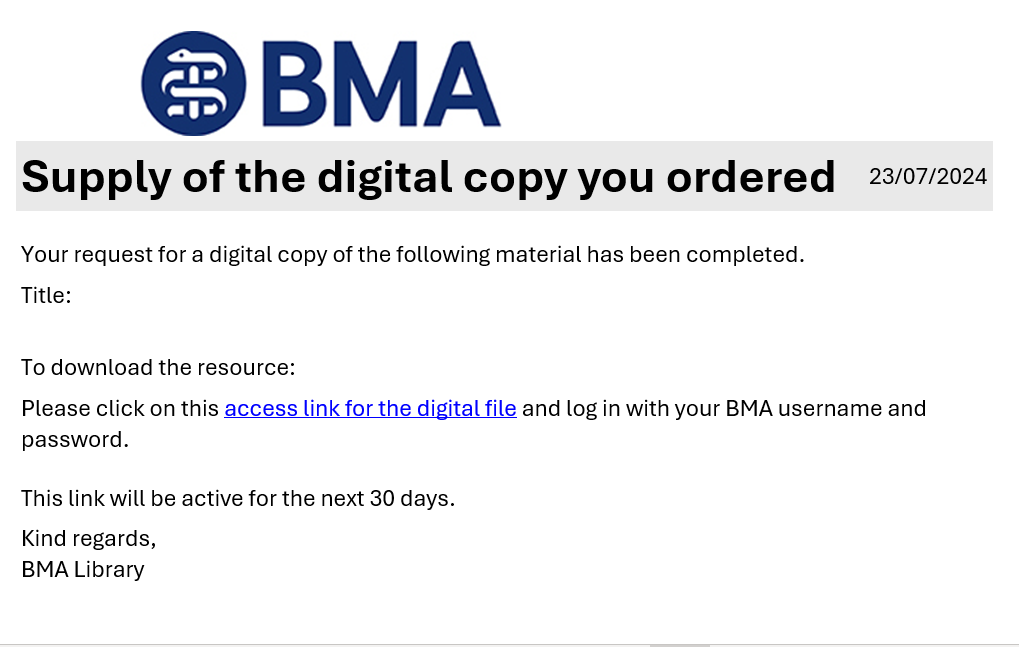
When the article is ready, you will be notified via email. This message will include a link to download the article. Follow the link and sign in with your BMA username and password.
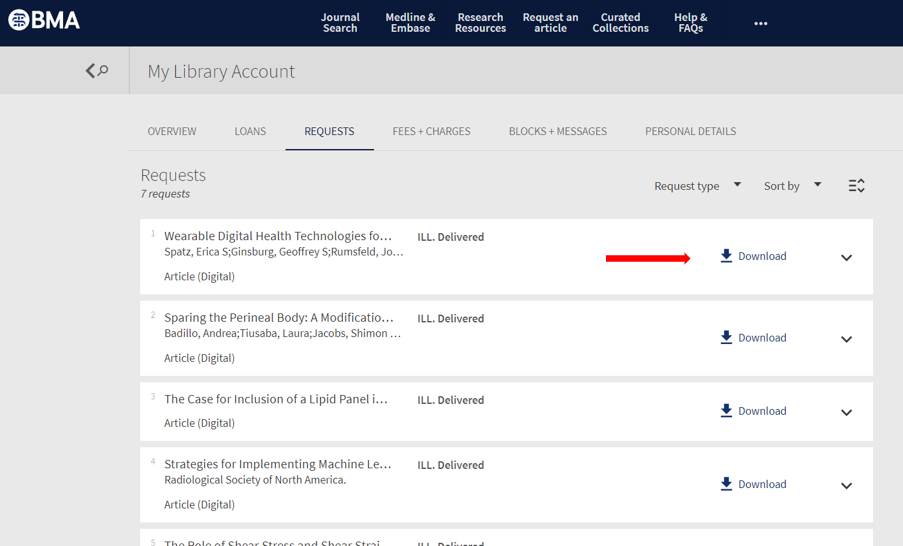
This will take you to the ‘My Requests’ page of your library account. Find the item here and click the ‘Download’ button next to the title. This will download a PDF copy of your document.
As per the terms of the copyright agreement, the downloaded document must be saved in a secure location. You can print if you wish, although you are not permitted to make further copies.
For further information on copyright restrictions as they pertain to our library service, please see our Copyright Simplified document.
We hope that you will find the service a useful addition to your research toolkit. Please do let us know your thoughts at bma-library.bma.org.uk.
 BMA library and archive blog