
How to search the Library’s Online Catalogue
The Library’s Online Catalogue is BMA members’ one stop shop for accessing all of our online resources. All of our e-book and e-journal content can be easily searched for and accessed using the online catalogue.
First things first
We recommend that you start off by signing in to our online catalogue before you begin searching. Access to the full text of e-books and e-journals that we subscribe to is only available to current members of the BMA.
Searching for an article
Our online catalogue allows you to search directly for journal articles. Simply enter the title of the article you are searching for into the search box:
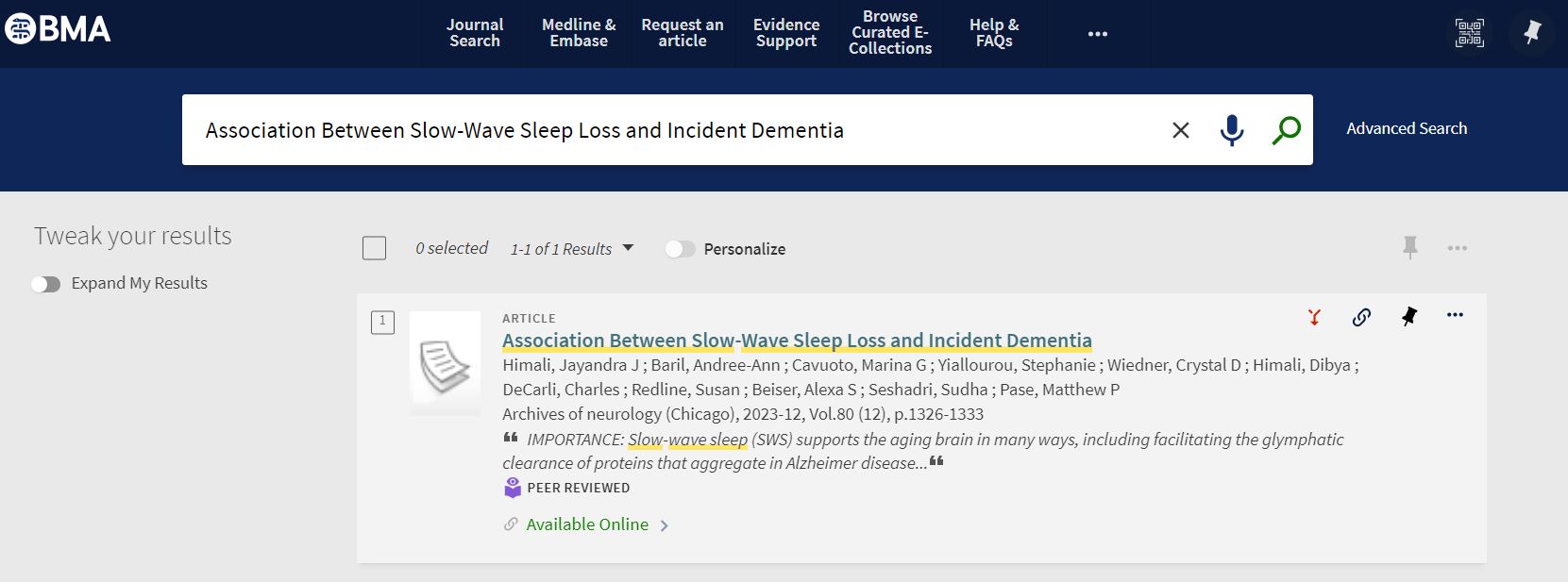
Provided the article is included in our central index, the catalogue entry to access the article will appear straight away. Please note that if you are searching for an article that was published pre 21st Century or only published in the last few weeks it is possible that it won’t yet have an entry in the index. If this is the case we recommend that you instead search for the e-journal that the article is published in…
Searching for a e-journal
To see if you can access to a particular e-journal please click on the Journal Search button, above the search box of the online catalogue home page, and enter the title of the journal you wish to access. As you start to type the journal title the catalogue will begin searching for it straight away:
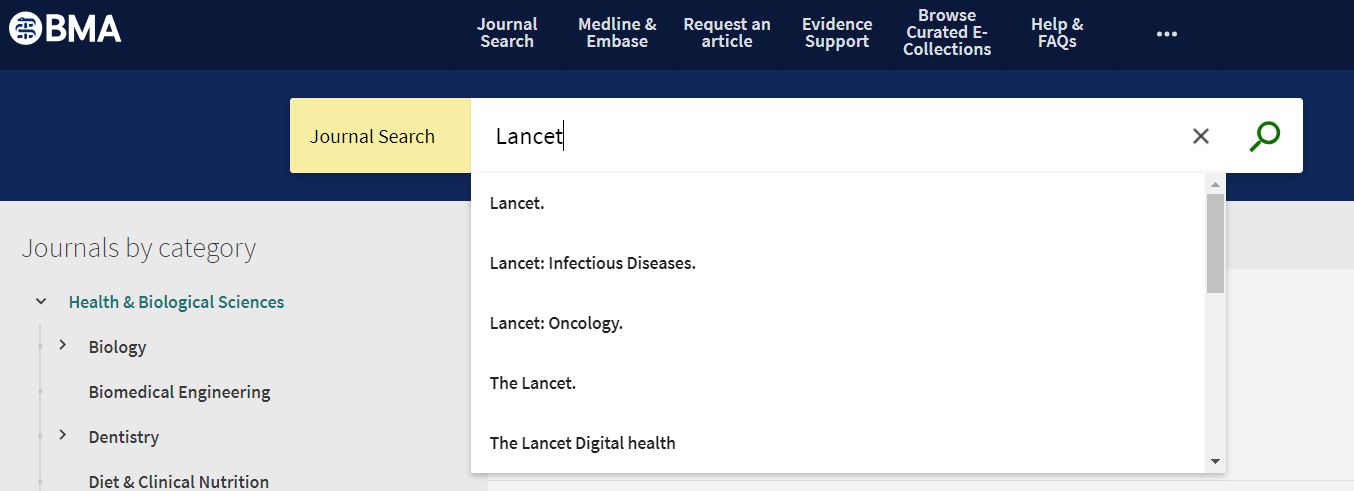
Either finish typing in the title of the journal, or click on the entry if it appears on the drop down list, to access the record and view the e-journal.
If you don’t have a particular journal in mind and instead want to see what e-journals we have available in a particular medical specialty please use the Journals by category links on the left hand side of the Journal Search page.
Searching for an e-book
Enter the title of the e-book you are looking for into the search box of the online catalogue home page and press return. To the left hand side of the list of search results that appears you will see a set of options for tweaking your results. Click on Resource Type and then on the drop down list that appears select the Books option to filter the list of search results to just e-books:
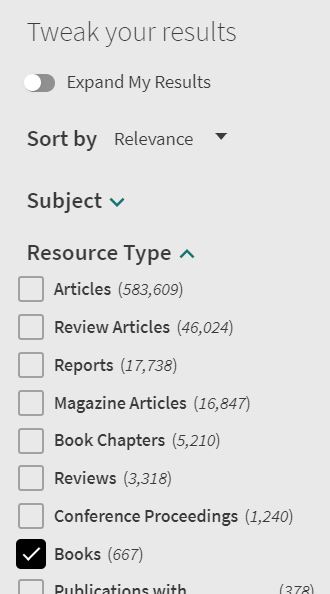
If you don’t have a particular e-book in mind and instead want to see the e-books that we have available in a particular medical specialty please use our E-Books by Medical Specialty curated collection to browse the titles available.
If you have any comments or queries about searching our online catalogue please email: e-resources@bma.org.uk
 BMA library and archive blog